> ## Documentation Index
> Fetch the complete documentation index at: https://haider-5d8ca6e7.mintlify.site/llms.txt
> Use this file to discover all available pages before exploring further.
# Quick Start
> Chat with your first document in under 5 minutes
## Overview
This guide walks you through the core API workflow:
1. **Authenticate** with your API key
2. **Ingest** a file or URL to get a `file_id`
3. **Chat** with the content using the `file_id`
***
## Step 1: Get Your API Key
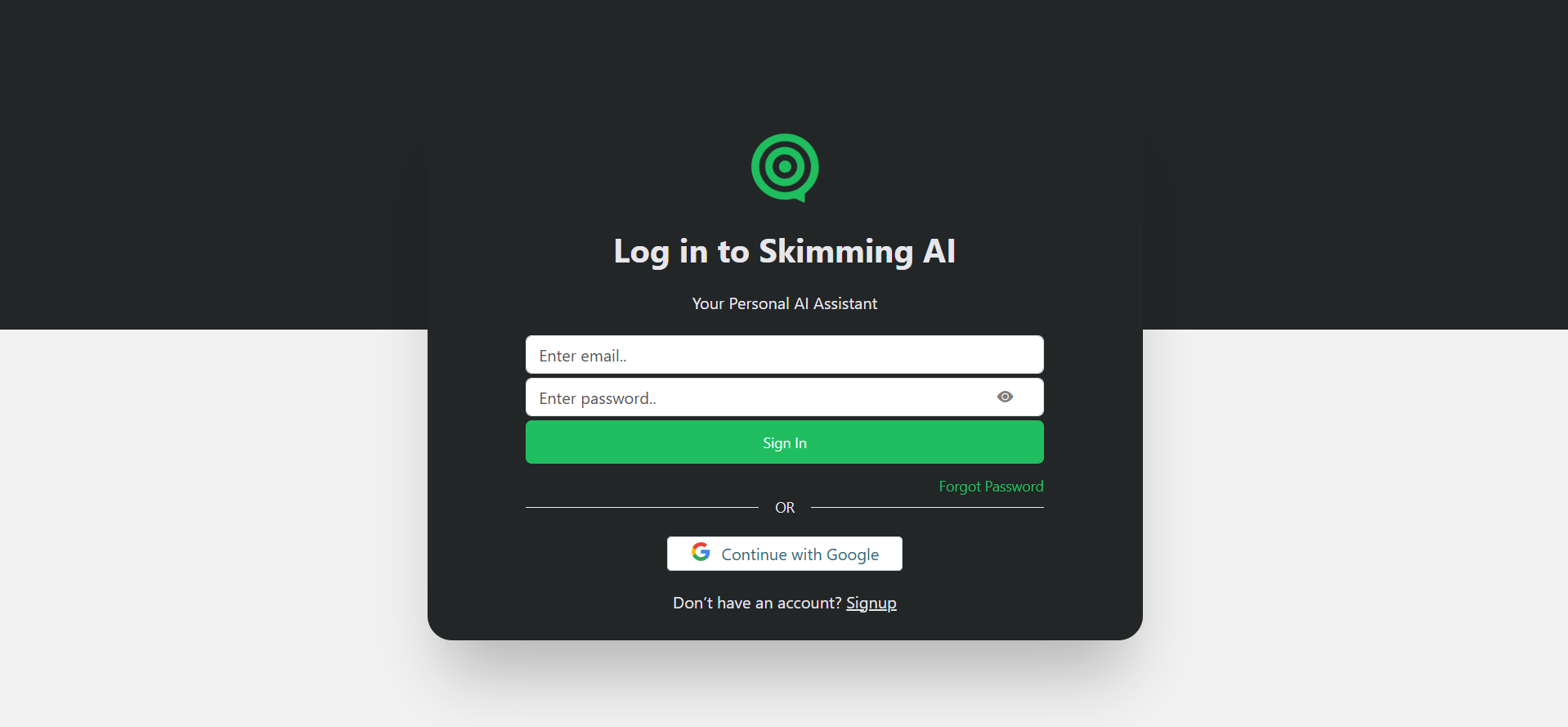
Go to [skimming.ai](https://www.skimming.ai) and log in to your account.
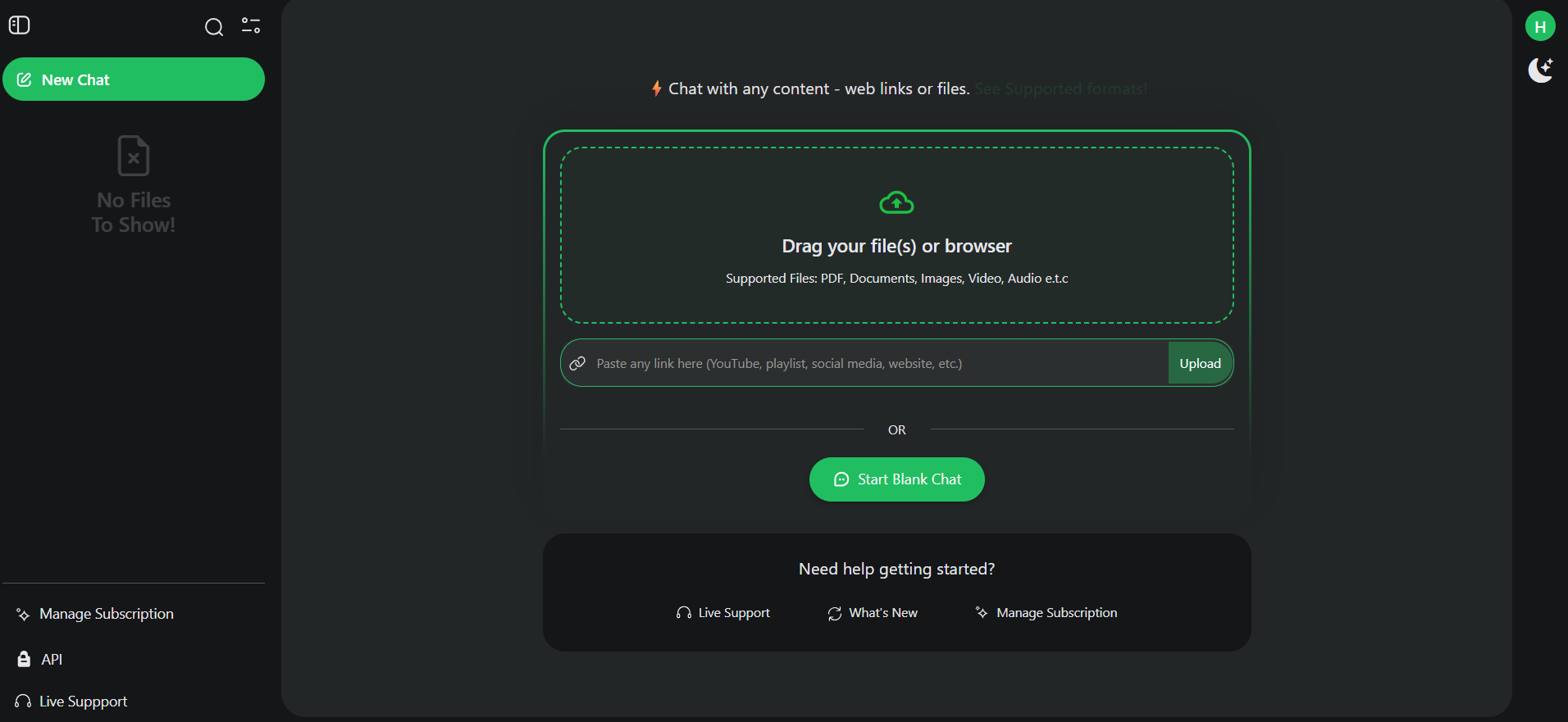
 Open your dashboard and find the **API** section in the left sidebar.
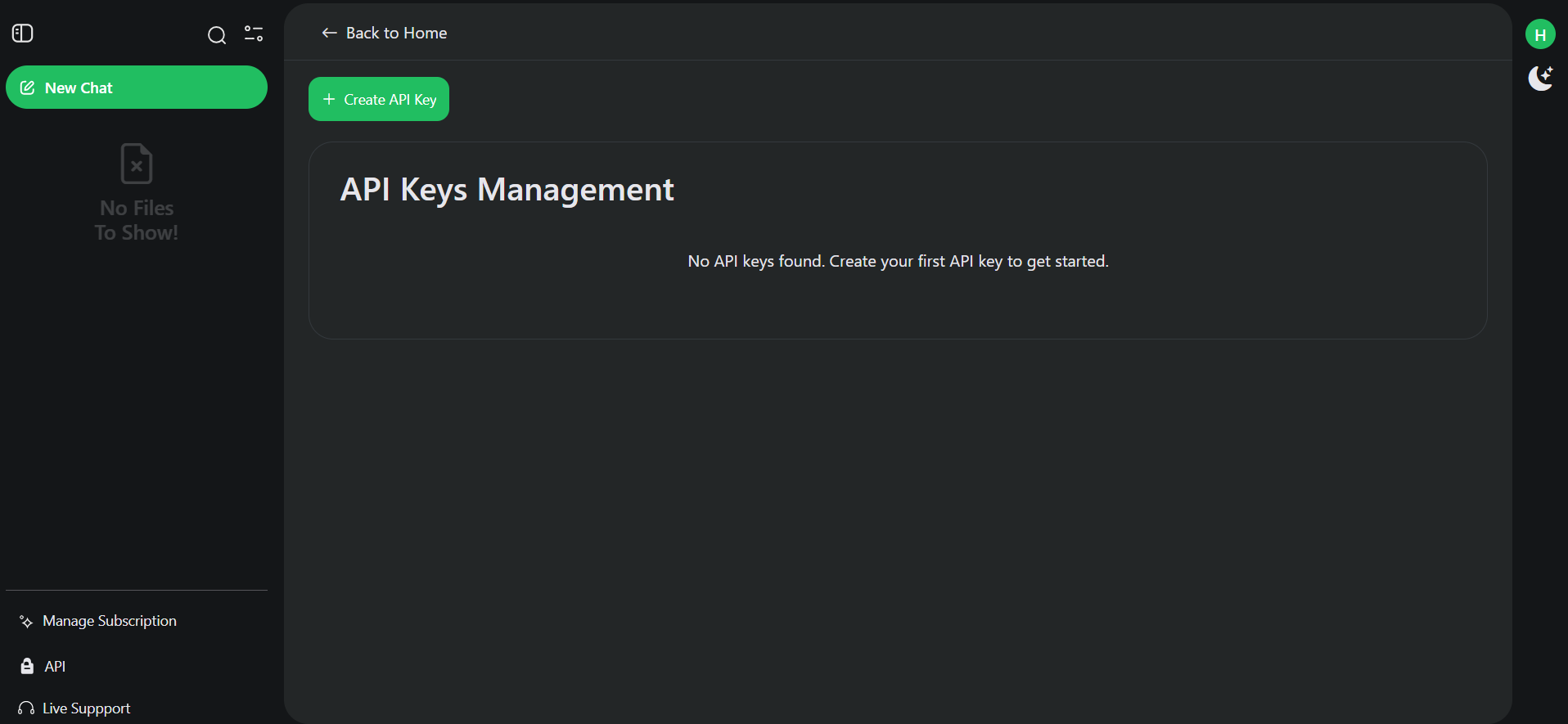
 Click **Create API Key**. Copy and store it securely — you won't see it again.
 Keep your API key private. Never expose it in client-side code or public repositories.
***
## Step 2: Ingest a Document
Upload a file to get a `file_id` that you'll use for all chat operations.
### Required Headers
All API requests require these headers:
| Header | Value | Description |
| --------------- | ------------------------------------------- | -------------------- |
| `Authorization` | `Bearer YOUR_API_KEY` | Your API key |
| `Content-Type` | `application/json` or `multipart/form-data` | Request content type |
### Example: Ingest a PDF
```bash theme={null}
curl -X POST https://app.skimming.ai/back/source/v1/api/document \
-H "Authorization: Bearer sk-your-api-key" \
-F "source=@document.pdf"
```
### Response
```json theme={null}
{
"success": {
"file_id": "abc123-def456-ghi789",
"file_name": "document.pdf",
"user_id": "user123",
"createAt": "2025-01-22T10:30:00Z"
},
"error": null
}
```
Save the `file_id` from the response — you'll need it for all chat requests.
***
## Step 3: Chat with the Document
Use the `file_id` to ask questions about your content.
### Example: Ask a Question
```bash theme={null}
curl -X POST https://app.skimming.ai/back/chat/v1/api/document/pdf \
-H "Authorization: Bearer sk-your-api-key" \
-H "Content-Type: application/json" \
-d '{
"file_id": "abc123-def456-ghi789",
"question": "What are the main points of this document?",
"streaming": false
}'
```
### Response
```json theme={null}
{
"success": true,
"data": "The main points discussed in this document are...",
"error": null
}
```
***
## Enable Streaming
For real-time responses, set `streaming: true`. The response will be delivered as **Server-Sent Events (SSE)**.
```bash theme={null}
curl -X POST https://app.skimming.ai/back/chat/v1/api/document/pdf \
-H "Authorization: Bearer sk-your-api-key" \
-H "Content-Type: application/json" \
-d '{
"file_id": "abc123-def456-ghi789",
"question": "Summarize this document",
"streaming": true
}'
```
***
## Choose Your Model
Specify which AI model to use with the `model` and `model_type` parameters:
```json theme={null}
{
"file_id": "abc123-def456-ghi789",
"question": "What is this about?",
"model": "gpt-4o",
"model_type": "openai",
"streaming": false
}
```
### Available Models
| Provider | Models | Credits/Question |
| ------------- | ------------------------------------------------- | ---------------- |
| **OpenAI** | `gpt-4o-mini`, `gpt-4o`, `gpt-4`, `gpt-3.5-turbo` | 1 – 100 |
| **Anthropic** | `claude-3-sonnet`, `claude-3.5-sonnet` | 25 |
| **Google** | `gemini-1.5-flash`, `gemini-1.5-pro` | 1 – 16 |
***
## Supported Content Types
### Documents
* PDF, Excel (`.xlsx`, `.csv`), PowerPoint (`.pptx`), Text (`.txt`), EPUB
### Media
* **Images**: JPG, PNG, GIF, WebP, BMP, TIFF, SVG, HEIC
* **Audio**: MP3, WAV, OGG, AAC, FLAC, M4A
* **Video**: MP4, MOV, AVI, WMV, WebM, FLV, MKV
### Web Content
* **YouTube**: Paste video URL → `/source/v1/api/youtube`
* **Websites**: Any webpage URL → `/source/v1/api/website`
* **Social Media**: Instagram, X (Twitter), LinkedIn, Facebook posts
***
## Next Steps
Explore all endpoints with request/response examples.
Learn about all ingestion options.
***
## Common Errors
| Error | Cause | Solution |
| ----------------------------- | -------------------------- | -------------------------------------------- |
| `401 Unauthorized` | Invalid or missing API key | Check your `Authorization` header |
| `400 Bad Request` | Missing required fields | Ensure `file_id` and `question` are provided |
| `402 Question limit exceeded` | Out of credits | Upgrade your plan or wait for reset |
Contact support at **[support@skimming.ai](mailto:support@skimming.ai)**
Keep your API key private. Never expose it in client-side code or public repositories.
***
## Step 2: Ingest a Document
Upload a file to get a `file_id` that you'll use for all chat operations.
### Required Headers
All API requests require these headers:
| Header | Value | Description |
| --------------- | ------------------------------------------- | -------------------- |
| `Authorization` | `Bearer YOUR_API_KEY` | Your API key |
| `Content-Type` | `application/json` or `multipart/form-data` | Request content type |
### Example: Ingest a PDF
```bash theme={null}
curl -X POST https://app.skimming.ai/back/source/v1/api/document \
-H "Authorization: Bearer sk-your-api-key" \
-F "source=@document.pdf"
```
### Response
```json theme={null}
{
"success": {
"file_id": "abc123-def456-ghi789",
"file_name": "document.pdf",
"user_id": "user123",
"createAt": "2025-01-22T10:30:00Z"
},
"error": null
}
```
Save the `file_id` from the response — you'll need it for all chat requests.
***
## Step 3: Chat with the Document
Use the `file_id` to ask questions about your content.
### Example: Ask a Question
```bash theme={null}
curl -X POST https://app.skimming.ai/back/chat/v1/api/document/pdf \
-H "Authorization: Bearer sk-your-api-key" \
-H "Content-Type: application/json" \
-d '{
"file_id": "abc123-def456-ghi789",
"question": "What are the main points of this document?",
"streaming": false
}'
```
### Response
```json theme={null}
{
"success": true,
"data": "The main points discussed in this document are...",
"error": null
}
```
***
## Enable Streaming
For real-time responses, set `streaming: true`. The response will be delivered as **Server-Sent Events (SSE)**.
```bash theme={null}
curl -X POST https://app.skimming.ai/back/chat/v1/api/document/pdf \
-H "Authorization: Bearer sk-your-api-key" \
-H "Content-Type: application/json" \
-d '{
"file_id": "abc123-def456-ghi789",
"question": "Summarize this document",
"streaming": true
}'
```
***
## Choose Your Model
Specify which AI model to use with the `model` and `model_type` parameters:
```json theme={null}
{
"file_id": "abc123-def456-ghi789",
"question": "What is this about?",
"model": "gpt-4o",
"model_type": "openai",
"streaming": false
}
```
### Available Models
| Provider | Models | Credits/Question |
| ------------- | ------------------------------------------------- | ---------------- |
| **OpenAI** | `gpt-4o-mini`, `gpt-4o`, `gpt-4`, `gpt-3.5-turbo` | 1 – 100 |
| **Anthropic** | `claude-3-sonnet`, `claude-3.5-sonnet` | 25 |
| **Google** | `gemini-1.5-flash`, `gemini-1.5-pro` | 1 – 16 |
***
## Supported Content Types
### Documents
* PDF, Excel (`.xlsx`, `.csv`), PowerPoint (`.pptx`), Text (`.txt`), EPUB
### Media
* **Images**: JPG, PNG, GIF, WebP, BMP, TIFF, SVG, HEIC
* **Audio**: MP3, WAV, OGG, AAC, FLAC, M4A
* **Video**: MP4, MOV, AVI, WMV, WebM, FLV, MKV
### Web Content
* **YouTube**: Paste video URL → `/source/v1/api/youtube`
* **Websites**: Any webpage URL → `/source/v1/api/website`
* **Social Media**: Instagram, X (Twitter), LinkedIn, Facebook posts
***
## Next Steps
Explore all endpoints with request/response examples.
Learn about all ingestion options.
***
## Common Errors
| Error | Cause | Solution |
| ----------------------------- | -------------------------- | -------------------------------------------- |
| `401 Unauthorized` | Invalid or missing API key | Check your `Authorization` header |
| `400 Bad Request` | Missing required fields | Ensure `file_id` and `question` are provided |
| `402 Question limit exceeded` | Out of credits | Upgrade your plan or wait for reset |
Contact support at **[support@skimming.ai](mailto:support@skimming.ai)**